Published on: 3/22/2026
How to talk to 100 scientific articles using LLMs? This is will be a part of a series of posts which investigate the posibilities, from simple online chat to RAG systems.
This article describes a straightforward technique for chatting with multiple scientific articles, and shows differences in quality between the Fast and Pro models.
Gemini has a limit on uploading 10 PDFs at once, and while we could theoretically upload 10 by 10, it’s tedious and time consuming to actually do that. We will get around that limitation by merging all of our PDFs into a single one. This is not the only technique for dealing with multiple documents, but it is the most straightforward one because it just dumps all of the content into the model context.
To merge multiple pdf-s in your browser, you can use the below button - simply select all the pdfs that you wish to merge into one. Simple merging is implemented using pdf-lib library.
Click or drag & drop PDF files here
Because Gemini has a maximum limit of 1M tokens that can fit in it’s context, it is likely to fail if fed a document with more tokens than that. To check how many characters there are in the PDFs you can use the following button (again, runs inside the browser). As a rough heuristic, if the documents are code-heavy / equation-heavy then the number of tokens is around character count divided by 3, and if it’s mostly prose then it’s around character count divided by 4. If all PDFs that you want to chat with have more than 1M tokens, you should try a different method for “chatting” with them at the same time, or just split your investigations into multiple chats.
If everything is kept in model context, model performance is degraded in regards to each individual article in it’s context. This is known as context rot, and shows up during long chats or with large documents - the attention mechanism is worse for each piece of information contained. So for better performance, it’s again better to keep the context size shorter (no empirical information here - but as an example different cut-offs to try are below 30k tokens, below 100k, and below 300k tokens). (Another optimization would be to dynamically select subsets of documents to put into context, also known as RAG - Retrieval Augmented Generation.)
In my experiment, I used a list of 26 Deep Learning papers. The merged PDF contains ~700 pages, 2M characters and 700k token (closely matching the heuristic of 3 characters making 1 token).
I tested two different chats which explore basic functionality, one with Fast and one with Pro. There are very clear differences between them:
Unfortunately, I ran out of free chats with GPro to perform more experiments, but it obviously performs much much better with a large document containing many papers.
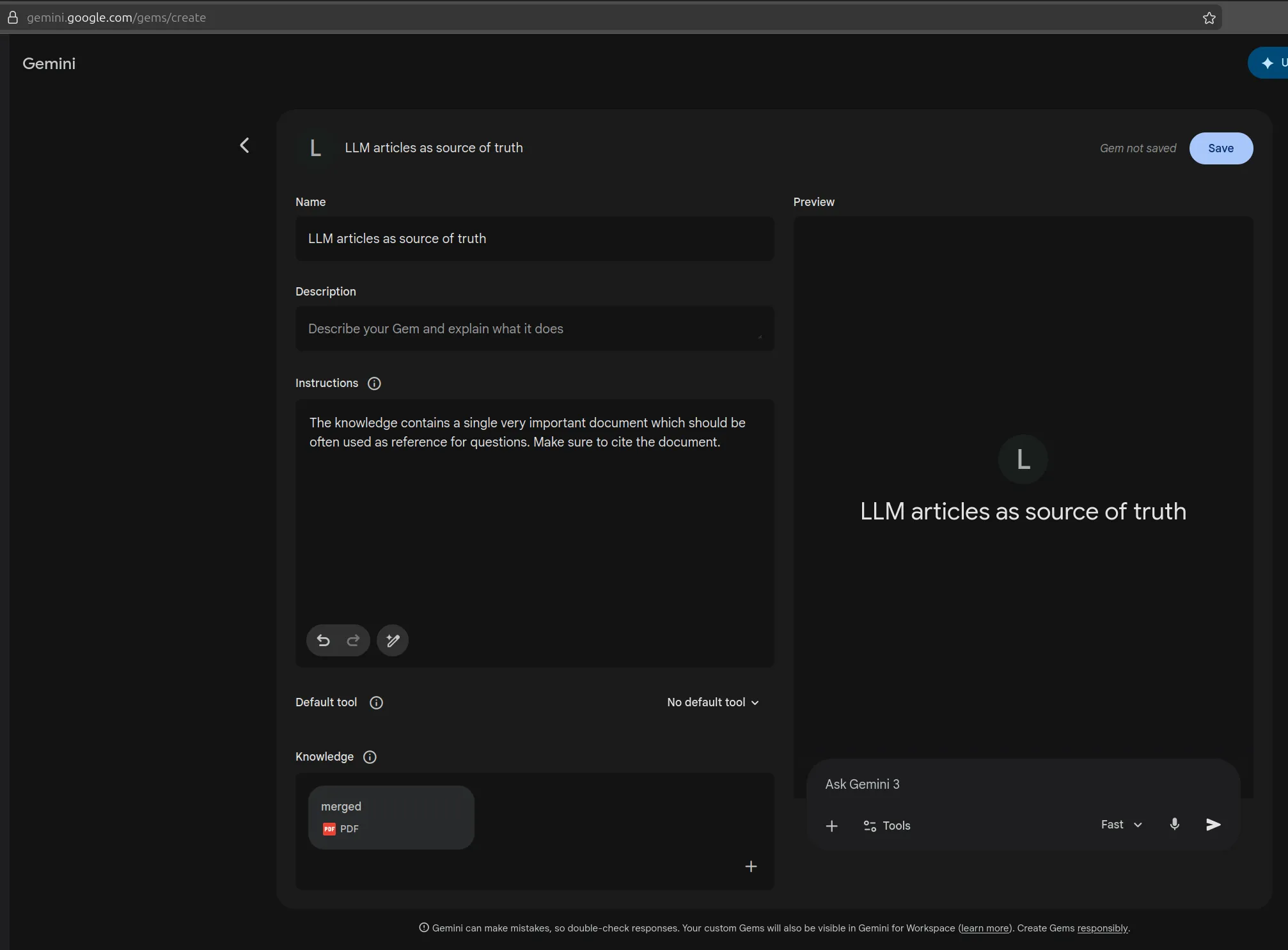
Lastly, if you’re going to continuously chat with the same collection of merged papers, I recommend creating a Gem. This will save you time that Gemini would use for processing the big document - it would do it only once, and then each new chat in that gem could you use that as the baseis. Below, you can see one simple suggestion for the name and the instructions to put inside the Gem.